It’s time to go big or go home! I’ve bought ASUS Turbo Radeon AI Pro R9700, an RDNA4 graphics card with a whopping 32 GB of GDDR6 VRAM, right before yet another price increase.
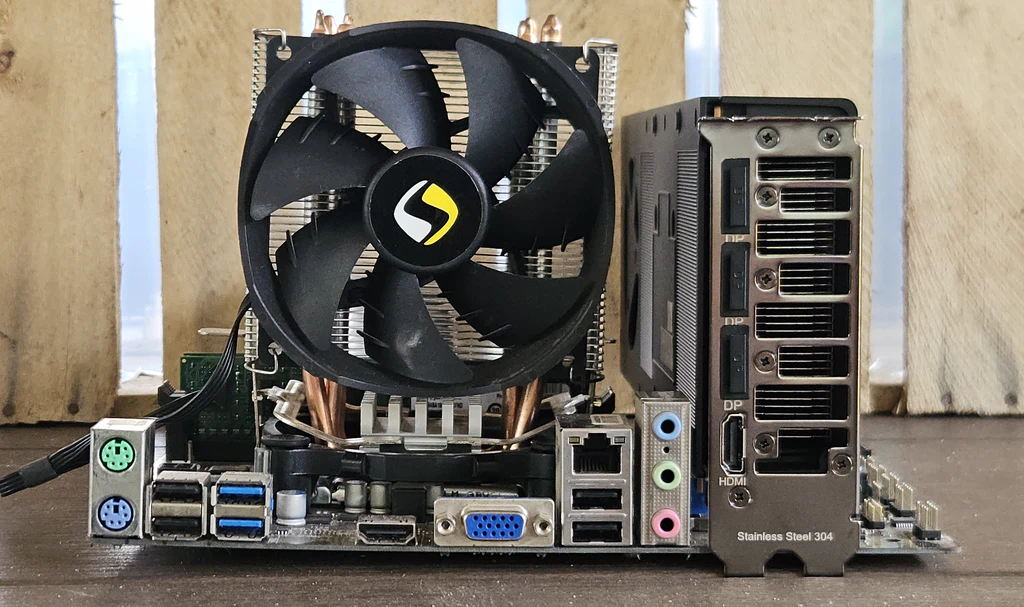
Sadly, the only desktop computer I have is an ancient custom build with a 4th-gen Intel Pentium G3420, 8 GB DDR3 RAM, and a single PCIe 3.0 slot. The CPU socket is damaged; the PC works only when I push down on the CPU cooler while booting (so that POST won’t fail). I don’t have any SATA disks anymore, and of course NVMe wasn’t a thing back in the Haswell days.
Yesterday, a new Qwen3.8 model was released. It’s a dense model with 27 billion active parameters, vision support, and a built-in MTP (multi-token prediction) layer. If benchmarks are to be believed, it’s better than Claude Opus 4.6.
I have some real-world experience with Qwen3.6‑35B‑A3B, the sparse / MoE version that runs at acceptable speeds on a laptop iGPU, so expectations are really high. Let’s try it out.
Table of Contents
First impressions
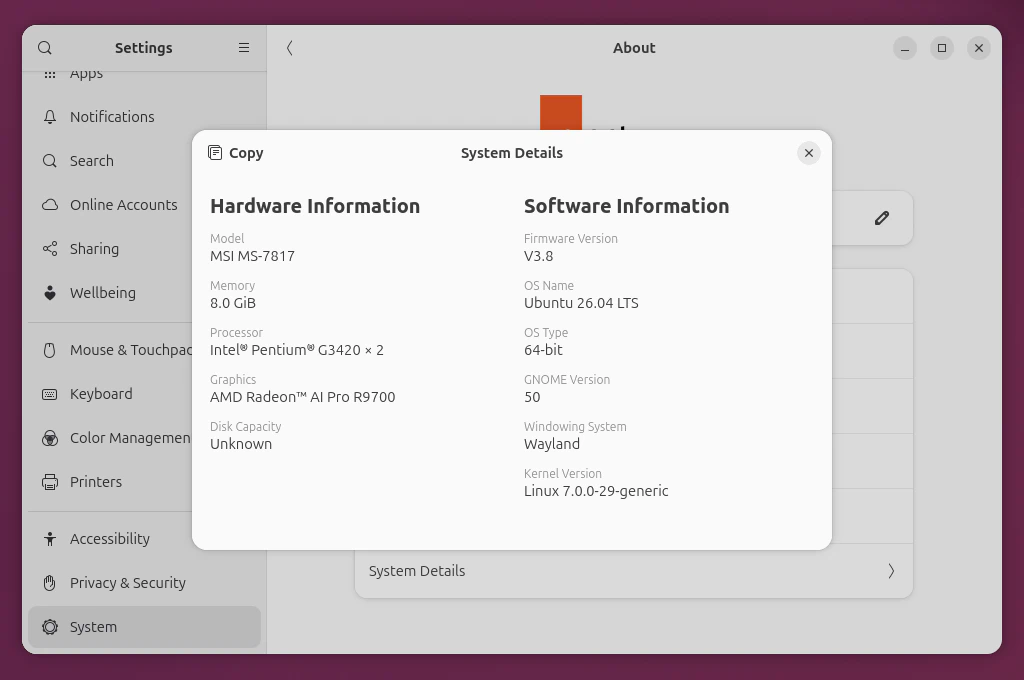
I’ve installed Ubuntu 26.04 on a USB SSD and downloaded all the updates. This cursed setup works just fine, even if some apps report that there may be compatibility issues:
Warning: radv is not aconformant Vulkan implementation
By the way, a USB‑C cable matters A LOT. I have two such cables, both with no logos or markings. The first one is too slow, at only 42 MB/s. The other one is 10x faster, but every time you look at it wrong, it would lose a connection and the OS dies.
I had to update VBIOS to make the graphics card quiet. This update changes the minimum fan speed from 30% to 12% (about 1000 RPM). Unfortunately, VBIOS can be updated only on Windows, but you can temporarily install Microsoft malware directly on SSD without losing any data.
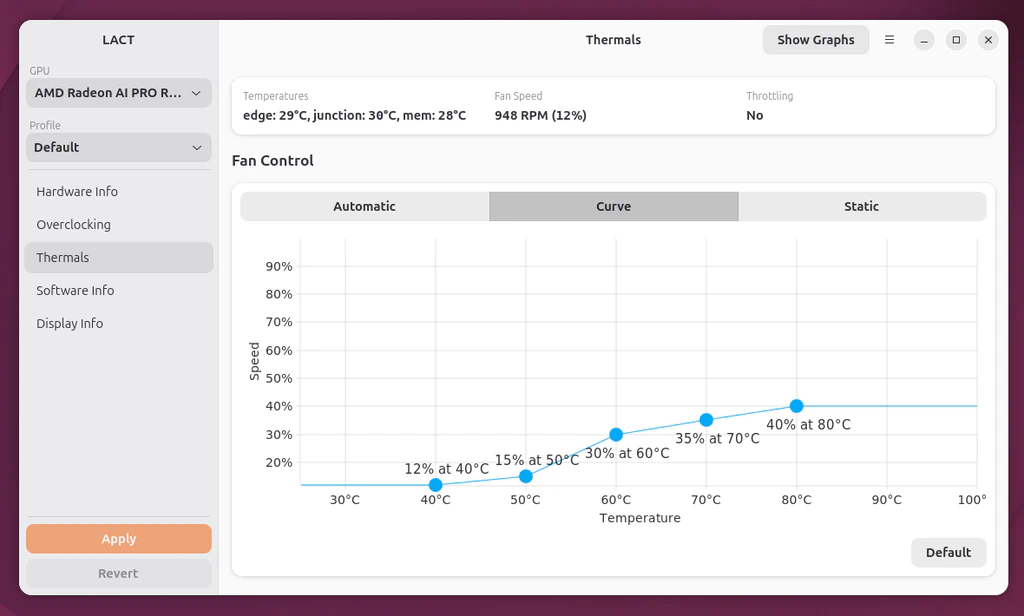
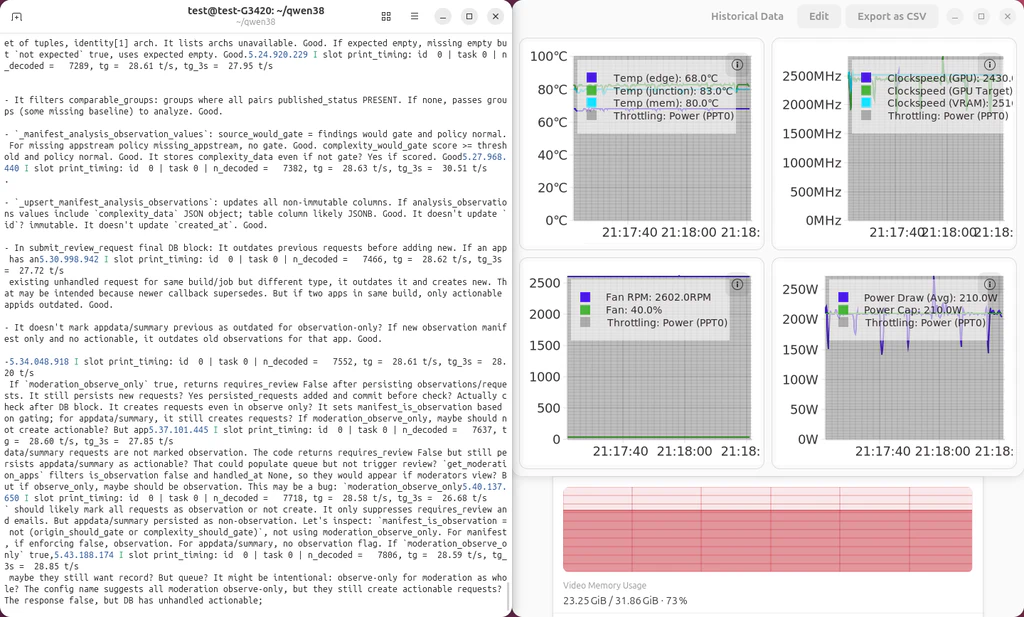
There is no official AMD control panel for Linux, but you can use a wonderful LACT app instead. I’ve set the fan curves to start at 12% and never exceed 40%. You can also change power limits. The default is 300 W, but I haven’t noticed any performance issues at 210 W, and it helps keep the temperatures below 85°C without thermal throttling.
Qwen3.8 has multiple reasoning modes, with xhigh being the default. It behaves
like a caveman, which is a downgrade for me. With Qwen3.6 I could easily analyze
the reasoning and refine the prompt early if the model hallucinated. So it’s
helpful to switch to a medium reasoning mode.
We need answer user question. Need analyze code, explain functionality, rate quality. We need think in English same language. Need inspect code carefully. (…)
Testing conditions
Flathub’s moderation code is approximately 2350 lines of text (including empty lines) in a 90 kB file, which is about 19700 input tokens. I don’t think the model has been benchmaxxed against this file, so it should show the real performance.
How long would it take to churn through a large chunk of code and answer these two questions:
- What does this code do?
- How would you rate it?
I’ve limited the output to 2048 tokens and applied other llama-cli parameters:
--load-mode none
--n-gpu-layers all
--flash-attn on
--fit off

--ctx-size 131072
--cache-type-k q8_0
--cache-type-v q8_0
--temperature 1.0
--top-k 20
--top-p 0.95
--min-p 0
--repeat-penalty 1
--presence-penalty 0
--reasoning on
--reasoning-effort medium

--spec-type draft-mtp
--spec-draft-type-k q8_0
--spec-draft-type-v q8_0
--spec-draft-n-max 2
--n-gpu-layers-draft all
Tested with the official llama.cpp Vulkan build b10586, AMD Lemonade llamacpp-rocm build b1314, and Unsloth Dynamic 3.0 GGUF quants, with 128k context size and an average MTP acceptance rate of 0.65 at 2 tokens ahead. Sampler parameters are from the model card.
Results
Note that Q8_K_XL quant won’t fit in 32 GB VRAM, so Q8_K_L is used instead.
Note that llama-cli is, for whatever reason, slightly slower than
llama-server.
(Wide tables can be scrolled on mobile.)
| Quant | Vulkan pp/s |
Vulkan tg/s |
Vulkan VRAM GB |
ROCm pp/s |
ROCm tg/s |
ROCm VRAM GB |
||
|---|---|---|---|---|---|---|---|---|
| Without MTP | ||||||||
| Q4_K_M | 755 | 26 | 19.4 | 809 | 24 | 19.9 | ||
| With MTP | ||||||||
| Q4_K_M | 648 | 39 | 20.1 | 766 | 36 | 20.6 | ||
| Q4_K_XL | 645 | 37 | 21.1 | 743 | 34 | 21.6 | ||
| Q6_K_L | 621 | 32 | 28.2 | 619 | 29 | 28.6 | ||
| Q8_K_L | 650 | 30 | 30.5 | 726 | 29 | 31.0 |
Observations
People report they can also generate about 30-40 tokens per second on a modern hardware. Looks like you can buy a powerful graphics card, pair it with mediocre components, and still be happy. No need to pay extra for a modern CPU and expensive DDR5 RAM, yet.
Qwen3.8 is based on a battle-tested qwen35 architecture and requires no custom
patches for llama.cpp. It doesn’t crash, it has valid reasoning (but way too
long and with primitive language), and responses are correct and coherent. MTP
works, resulting in huge performance improvements on Vulkan. ROCm has faster
prompt processing, but token generation speed is slightly slower, and it
requires a little more VRAM.
I think it’s not worth trying to use 6-bit quants. Their performance is similar to 8-bit quants, if not worse, and it’s not like I’m going to run out of RAM.
What didn’t work
AMD claims that Qwen3.8‑27B is capable of up to 50tg/s on a single R9700 on Windows. But it doesn’t work for me. Both Vulkan and ROCm fail to allocate memory when loading a model.
I’ve tried hipfire, ROCmFPX, and vLLM with various container runtimes, but they do not work since Pentium G3420 doesn’t support AVX. Tough luck.
Switching to Debian
For a headless (no GUI) Debian 13 installation, I had to install these backports:
linux-image-amd64firmware-amd-graphicsmesa-vulkan-drivers
There’s a weird bug in either the Linux kernel or the llama.cpp Docker image,
where it will try to load an entire model to VRAM and to the system RAM
multiple times if you don’t have an HDMI monitor connected. This will trigger
a system OOM killer, that sometimes can stop essential services like sshd. I
wish I didn’t have to resort to HDMI emulators.
The power limit (in microwatts) and a fan curve (id - temperature - speed) can be configured like this. It can be done via a systemd service as well.
echo "210000000" > /sys/class/drm/card0/device/hwmon/hwmon2/power1_cap
echo "0 40 12" > /sys/class/drm/card0/device/gpu_od/fan_ctrl/fan_curve
echo "1 50 15" > /sys/class/drm/card0/device/gpu_od/fan_ctrl/fan_curve
echo "2 60 30" > /sys/class/drm/card0/device/gpu_od/fan_ctrl/fan_curve
echo "3 70 35" > /sys/class/drm/card0/device/gpu_od/fan_ctrl/fan_curve
echo "4 80 40" > /sys/class/drm/card0/device/gpu_od/fan_ctrl/fan_curve
echo "c" > /sys/class/drm/card0/device/gpu_od/fan_ctrl/fan_curve
Try this table out! (AI disclosure: code generated with Qwen3.8 + minor fixes by me)
| P1 | P2 | P3 | P4 | P5 | |
|---|---|---|---|---|---|
| Temp (°C) | |||||
| Speed (%) |